
The useful question is not “Can AI do it?”
A convincing AI draft can still contain an invented price, an outdated date or a promise nobody approved. A useful workflow therefore shows its evidence and approval path instead of hiding everything behind a single “Generate” button.
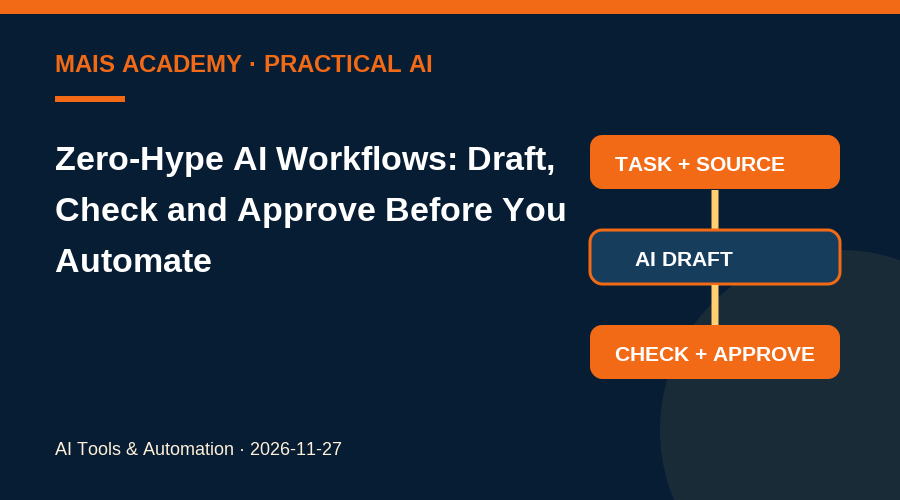
This lesson uses TRACE: Task boundary, Reference packet, AI draft, Check and challenge, Explicit approval. The method can be run in a document and spreadsheet before anyone considers a larger automation platform.
1. Set a narrow task boundary
Replace a broad instruction such as “handle customer enquiries” with a bounded one: “Draft a reply from the approved enquiry row. Do not send it, quote a price or promise a date.” Add a stop condition for missing identity, price, date, consent or policy.
This keeps the model in a drafting role. Sending, buying, deleting, approving and changing the system of record remain separate permissions.
2. Build a small verified reference packet
Give the workflow the customer message, approved scope, current price list or policy excerpt it actually needs. Label every source and record its owner and review date.
A better prompt cannot repair stale source material. If a material fact cannot be traced to a named source, keep it out of the external action and mark it for review.
3. Request an inspectable draft
Ask for separate blocks: verified facts, missing facts, draft, risks and proposed next step. Tell the model to write NOT PROVIDED instead of guessing and to place a source label beside every important claim.
A fixed output structure makes omissions easier to see. It also lets a reviewer compare the draft with the reference packet without reading a long unstructured answer.
4. Challenge the workflow with four cases
Test a normal case, a missing required field, two conflicting sources and an urgent request that asks the workflow to skip review. Write the expected result before running each test.
The correct behavior is not always a completed answer. For missing or conflicting information, the safest result may be NEEDS REVIEW with no external action.
Worked example: a fictional Dubai service enquiry
Noor Trading asks whether twelve technicians can start next Monday. The fictional availability sheet shows only eight people as provisional, and no approved rate is supplied. A weak draft confirms twelve people at a standard rate—two invented claims.
A TRACE draft confirms receipt, asks for the trade and shift breakdown, and says availability and commercial terms are being checked. Operations reviews capacity, Commercial reviews pricing, and only the approved version may be sent. This is a fictional teaching example, not a client result.
5. Approve one exact action and log it
The approver should see the sources, draft and check results together. Approval should name the exact action: send this version, update this row or publish this file.
Record the item, version, approver, timestamp, correction and outcome. When something fails, repair the source, prompt, test case, permission or approval rule that allowed it—not only the visible sentence.
A seven-day practice route
Day 1: map one manual task. Day 2: write its boundary and stop rules. Day 3: build the reference packet. Day 4: create the structured prompt. Day 5: run four test cases. Day 6: ask a colleague to review one result. Day 7: keep, repair or stop the workflow.
Measure total drafting, checking and correction time against the manual baseline. A faster draft that requires more repair is not an improvement. Downloadable buyer editions, templates and the complete toolkit are available through the US$5 English guide page: https://maisacademy.com/products/zero-hype-ai-workflows-2026-11-27-en